White-Label Branding
The White-Label feature in Mockhub allows you to fully customize the platform with your own branding.
Instead of showing Mockhub’s default design, you can apply your logo, colors, and domain to give your clients a seamless and professional experience.
🎨 Customization Options
With White-Labeling enabled, you can:
- 🖼️ Add your company logo – Display your logo instead of Mockhub’s.
- 🌈 Choose brand colors – Match the platform to your brand style guide.
- 🔗 Custom domain – Use your own domain (e.g., projects.yourcompany.com).
- ✉️ Branded emails – Send client notifications using your company identity.
⚙️ How to Enable White-Labeling
-
Upgrade your account
White-Labeling is available on Business or higher plans.
👉 See the Upgrade Account page for details. -
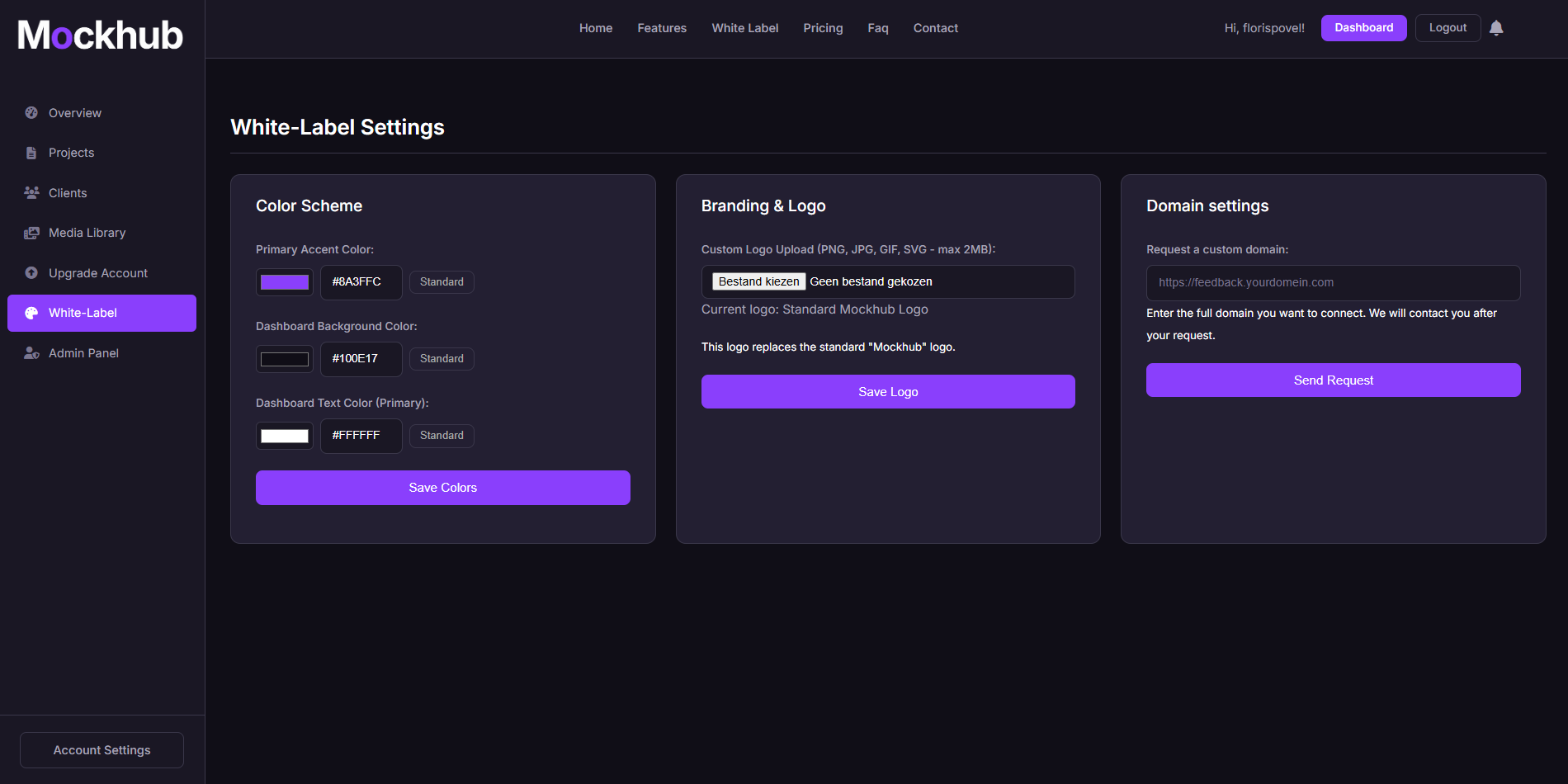
Go to the White-Label settings
Navigate from the sidebar to White-Label. -
Apply your branding
- Upload your company logo.
- Set your primary and secondary brand colors.
- Enter your custom domain (optional).
-
Save & Preview
Apply your changes and preview the client-facing experience.
🖼️ Example: White-Label Page
✅ What’s Next?
After enabling White-Labeling, you can:
- Share projects with clients using your own branded portal.
- Ensure every touchpoint matches your company identity.
- Build stronger trust and professionalism with clients.
Need help setting up White-Labeling? Visit the FAQ or contact support@mockhub.app.