Registering Your Account
Welcome to Mockhub! Follow the steps below to create your own account.
📝 Step-by-Step Instructions
-
Go to the registration page
Open your browser and navigate to:
👉 https://mockhub.app/register -
Enter your details
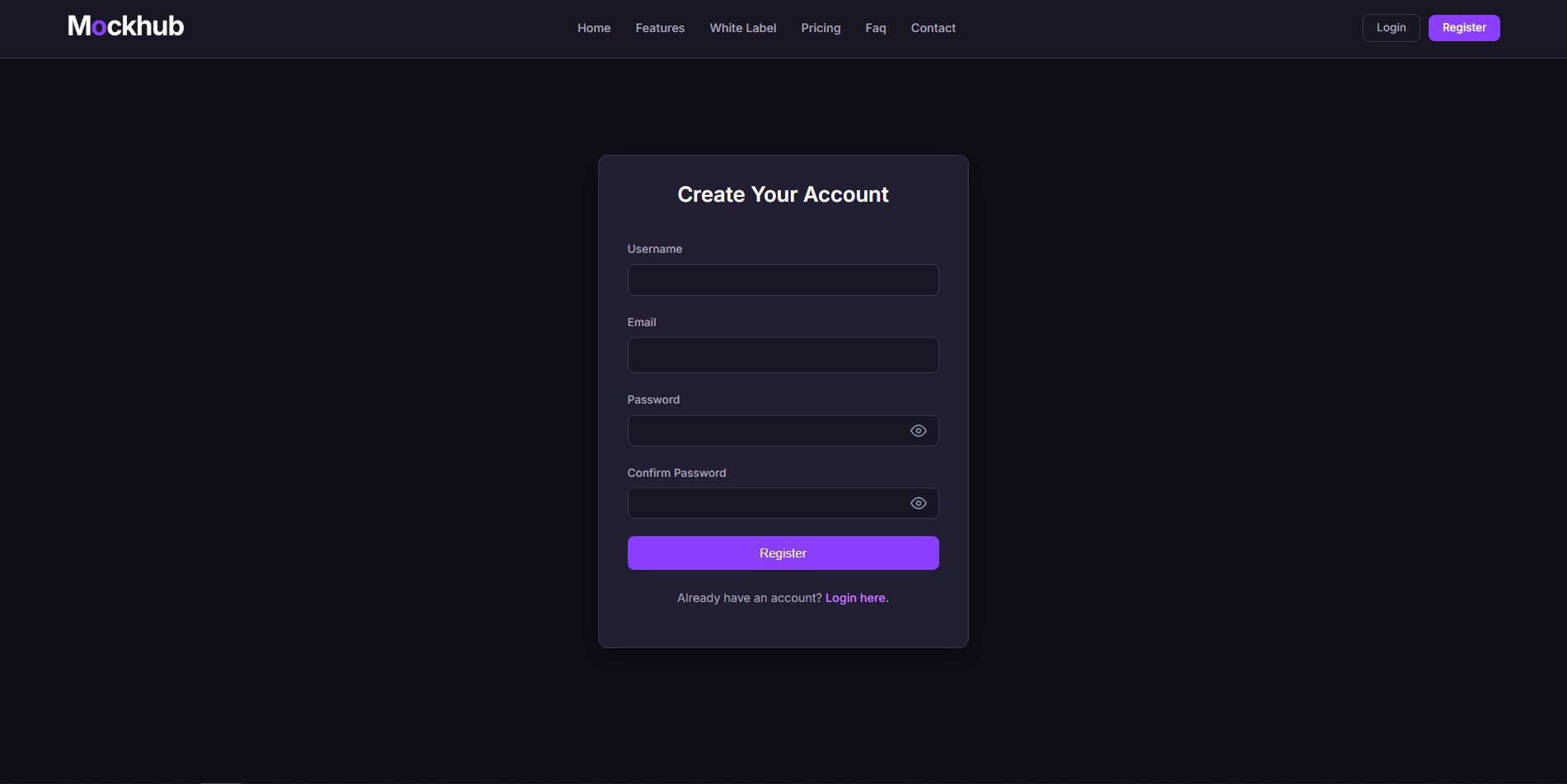
You will now see a form where you need to fill in the following fields:- ✉️ Email Address – Use a valid email address that you can verify.
- 🔑 Password – Choose a secure password (minimum of 8 characters).
- 🔁 Confirm Password – Re-enter your password for confirmation.
-
Click the "Register" button
Check your information and then click the Register button at the bottom of the form. -
Verify your email address
You’ll receive an email with a verification link. Click that link to complete your registration.
Note: If you don’t see the email right away, check your spam folder.
🖼️ Example of the Registration Form
✅ What’s Next?
After successfully registering, you’ll be automatically redirected to the login page. From there, you can login and immediately start creating your first project!
Having trouble registering? Check out the FAQ or contact our support team at support@mockhub.app.