Media Library
The Media Library in Mockhub is your central place to upload, manage, and reuse files across all projects.
Instead of re-uploading the same assets for each project, you can store them here and quickly attach them whenever needed.
📤 Uploading Files
-
Go to the Media Library page
Navigate from the sidebar to Media Library. -
Click "Upload Files"
Select files from your computer. You can upload:- 🖼️ Images (JPG, PNG, SVG)
- 🎥 Videos (MP4, MOV)
- 📄 Documents (PDF, DOCX, etc.)
-
Organize files
Use folders or tags to keep your media library structured.
📂 Managing Files
In the Media Library, you can:
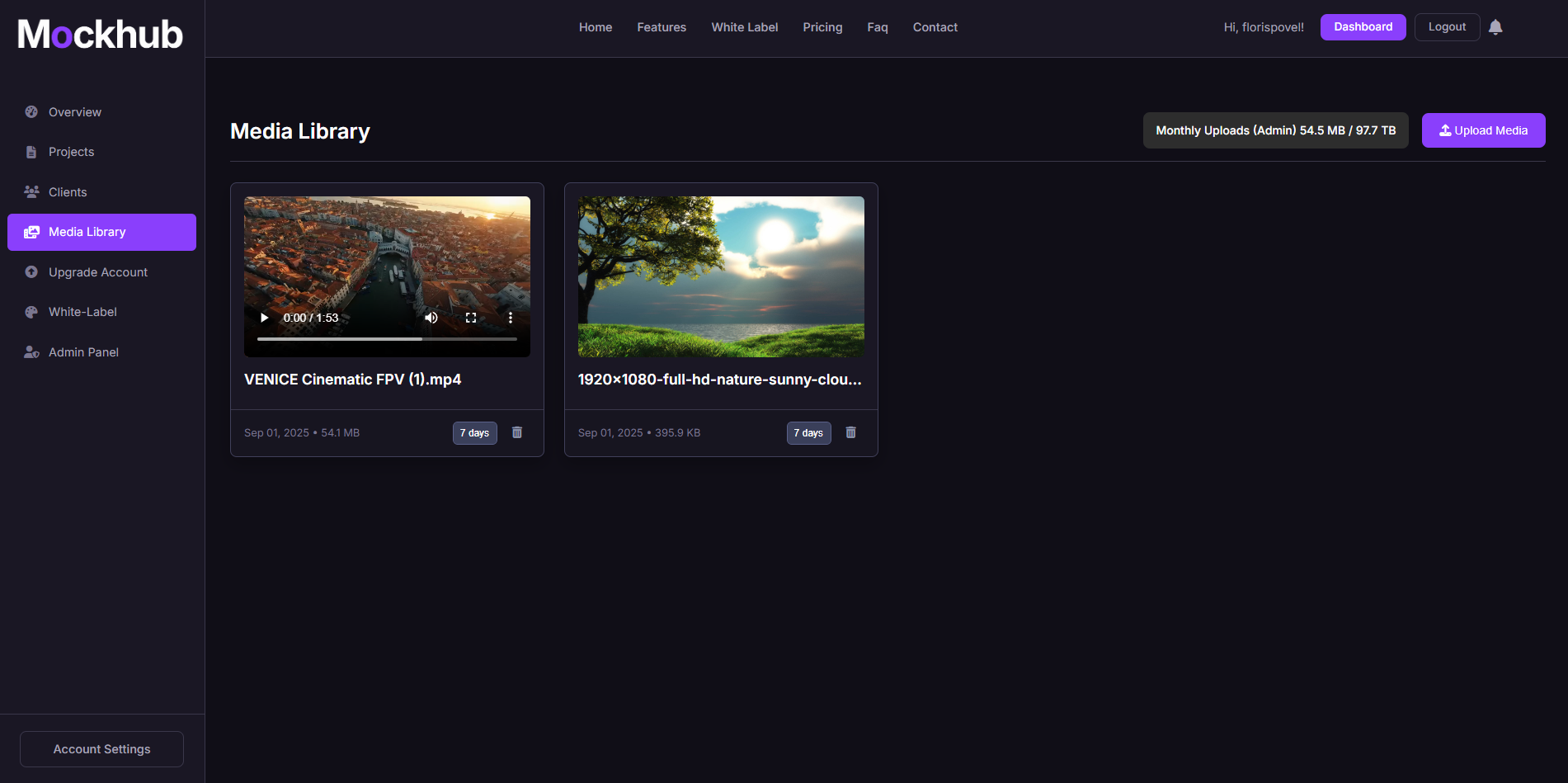
- 👁️ Preview files – Quickly view your uploaded assets.
- 🔄 Replace versions – Update an existing file without breaking project links.
- 🗑️ Delete files – Remove unused assets to save space.
- 📑 Search & filter – Find the right file instantly with filters and tags.
🖼️ Example: Media Library
✅ What’s Next?
From the Media Library, you can:
- Attach assets directly to Projects.
- Share files with Clients securely.
- Keep branding consistent with reusable logos and design assets.
Need help using the Media Library? Visit the FAQ or contact support@mockhub.app.