Upgrade Your Account
Mockhub offers flexible plans to fit the needs of freelancers, agencies, and teams.
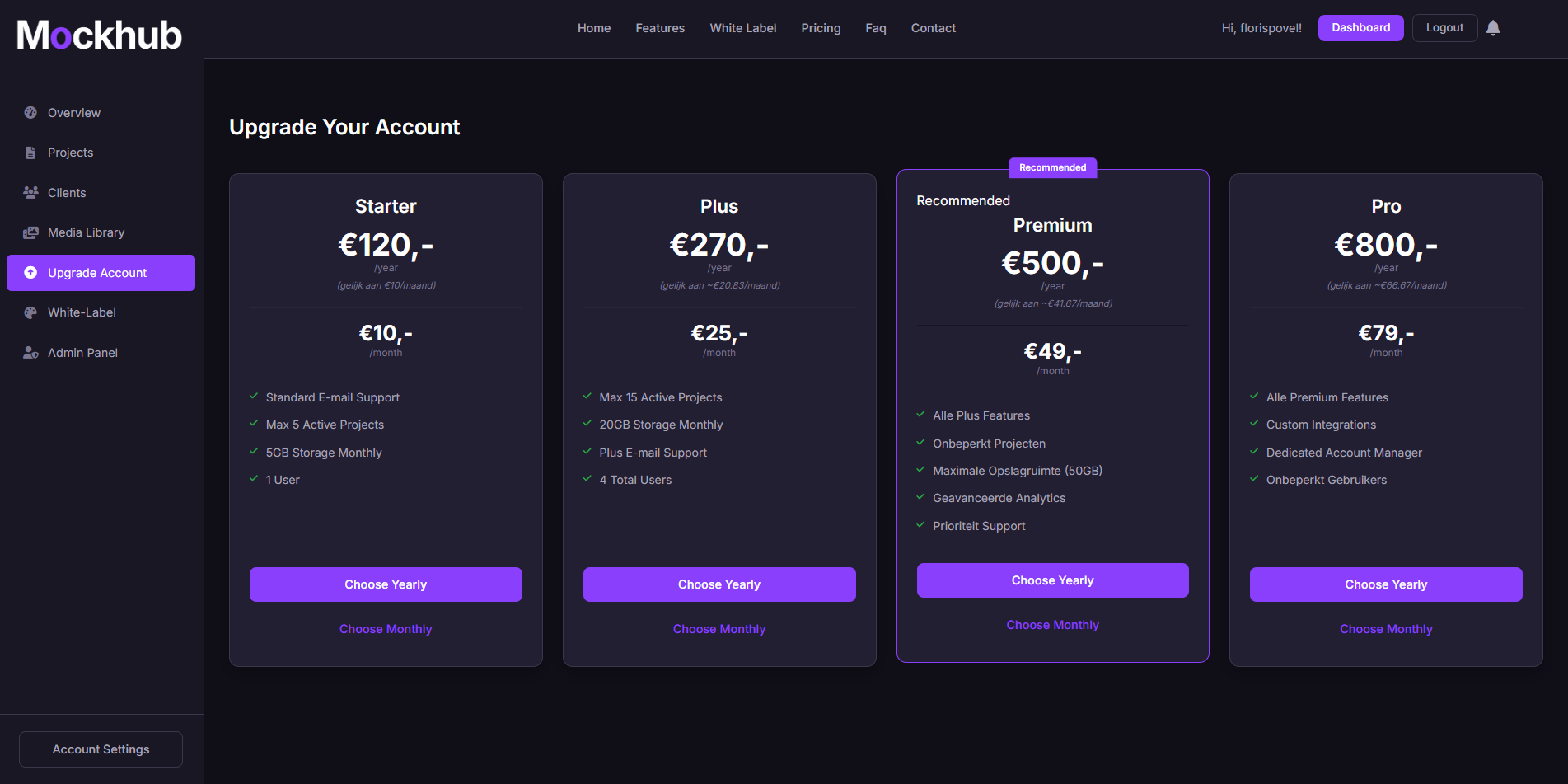
The Upgrade Account page lets you view your current subscription and upgrade to unlock more features.
💳 How to Upgrade
-
Go to the Upgrade Account page
Navigate from the sidebar to Upgrade Account. -
Choose your plan
You’ll see the available subscription tiers, for example:- ⭐ Starter – Great for freelancers and small projects.
- 🚀 Pro – Perfect for growing teams that need more projects and clients.
- 🏢 Business – Full-featured plan with white-labeling and priority support.
-
Select your billing cycle
Decide between Monthly or Yearly billing (yearly comes with a discount). -
Confirm payment
Enter your payment details securely and confirm the upgrade.
🔓 Features You Unlock
Upgrading your account can unlock:
- 📂 More projects – Work on unlimited projects simultaneously.
- 👥 More clients – Manage additional client accounts.
- 🎨 White-label branding – Customize the platform with your own logo and colors.
- ⚡ Priority support – Get faster responses and dedicated help.
🖼️ Example: Upgrade Account Page
✅ What’s Next?
Once you’ve upgraded:
- Start using advanced features like White-Labeling.
- Manage your plan anytime from Account Settings → Current Subscription.
- Scale your workflow with no project or client limits.
Need help upgrading? Visit the FAQ or contact support@mockhub.app.